


How to Take Self-Portraits with Your Sony, Canon or Fujifilm Camera
Getting yourself in the shot when alone or even with someone helping is one of the most frustrating challenges in photography. You set your mirrorless or DSLR camera on a tripod, activate the self-timer, sprint into position, and hope for the best, only to find you’ve clipped your head, your eyes are half-closed, or you’re a tiny blur lost in the middle distance. Even if you meticulously plan your position, it often involves running back and forth doing test shots to ensure you are in the right position on your photo, and focused on correctly.
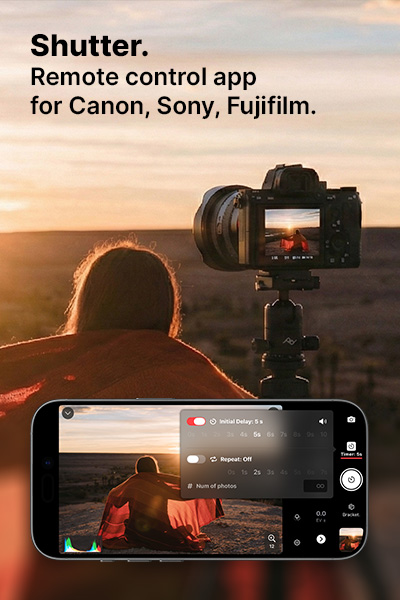
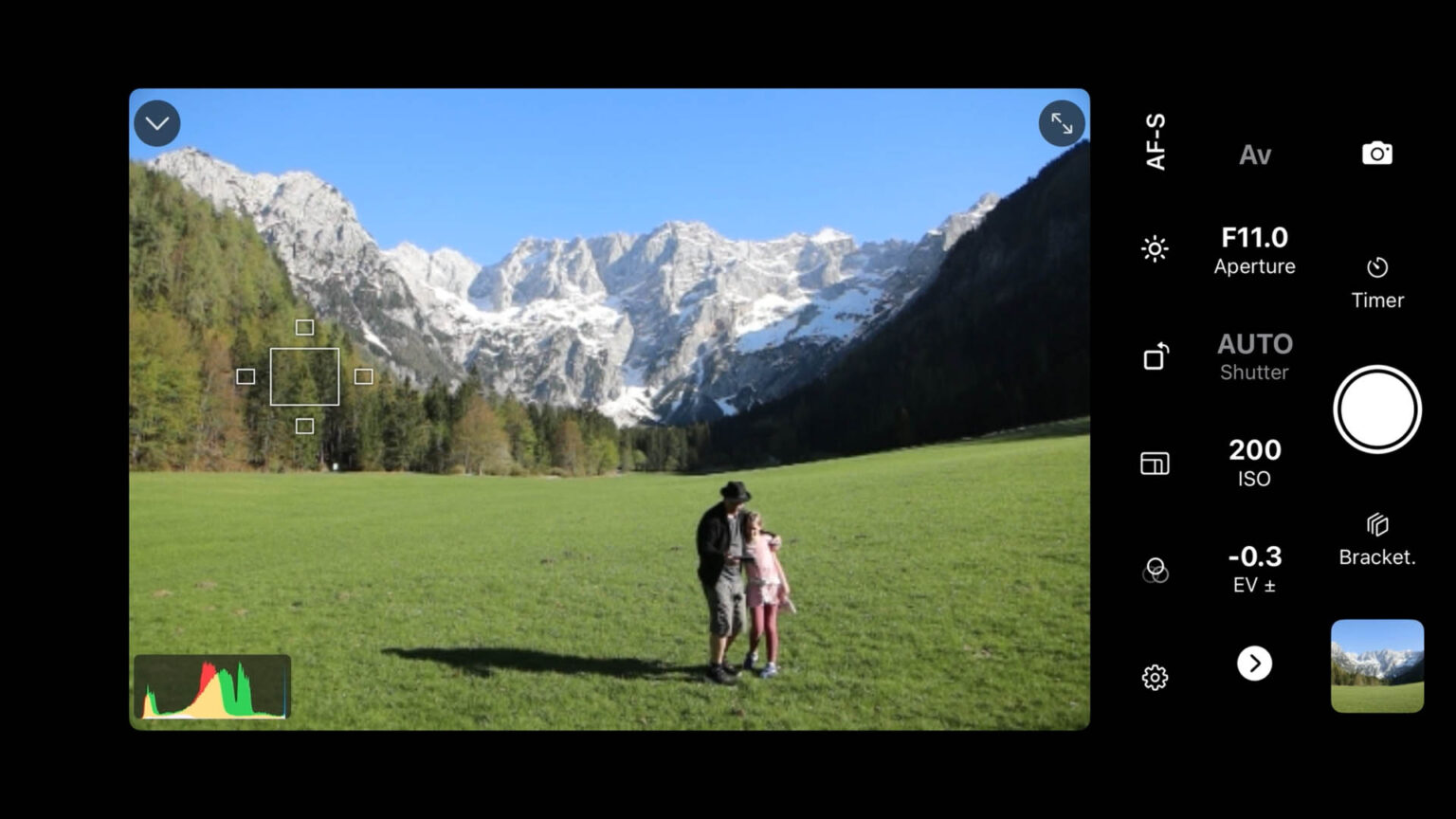
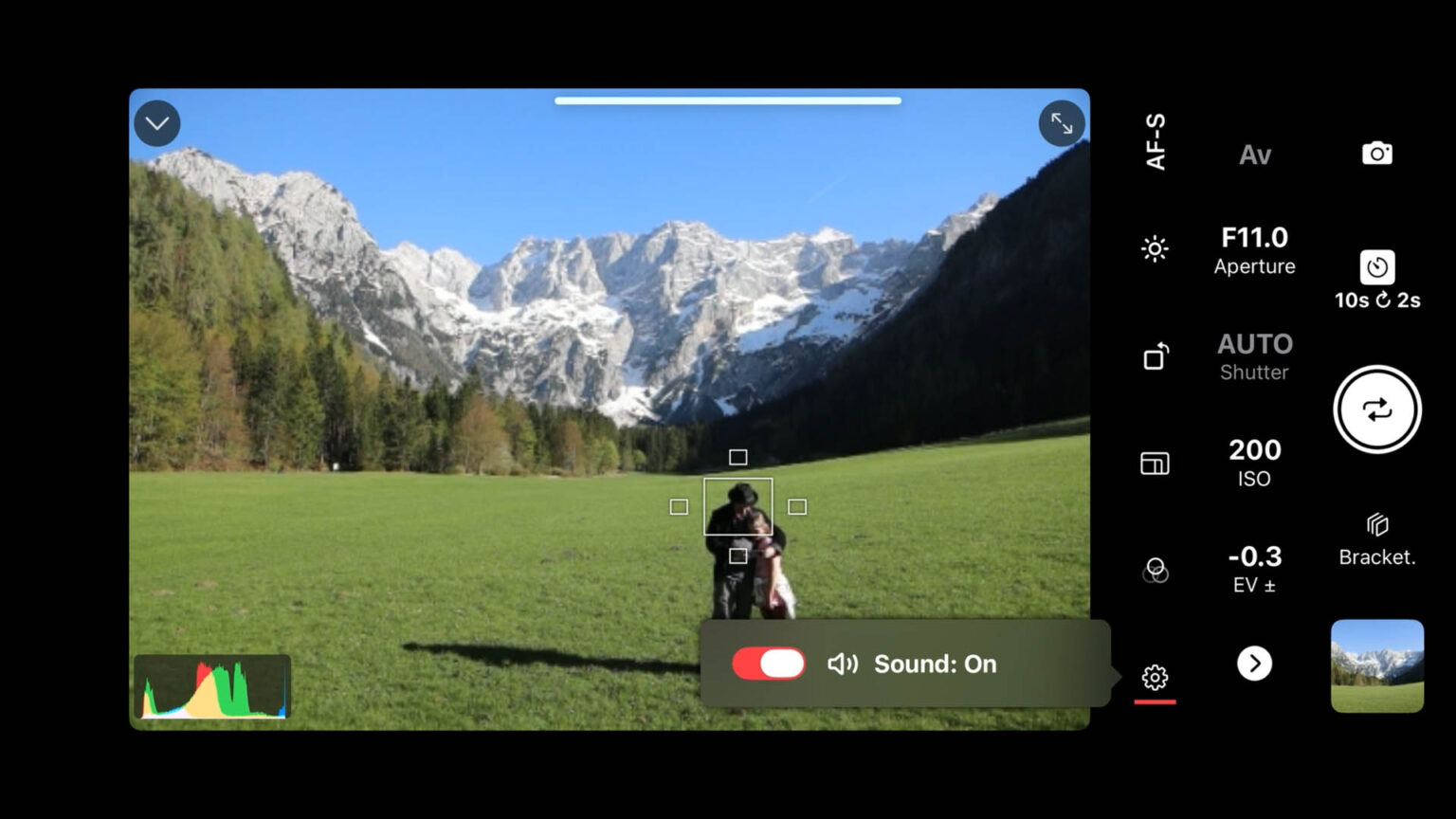
There’s a better way. Shutter is an iPhone app that gives you full remote control of your Sony, Canon, or Fujifilm camera. It streams a live view directly from your camera to your screen, so you can frame the shot, tap to focus on yourself, set a timer, and trigger a sequence of photos — all before you slip your phone in your pocket and step into the scene.
Whether you’re shooting selfies, family portraits, or placing yourself inside a sweeping landscape, here’s exactly how Shutter makes it easy.
Why Your Camera's Built-In Self-Timer Isn't Enough
Most cameras give you a 2 or 10-second self-timer. That’s it. There’s no way to see whether you’re in frame without running back to the camera. There’s no way to check focus. And if the shot doesn’t work out, you’re jogging back and forth setting it up again from scratch.
The official smartphone apps from Sony, Canon, and Fujifilm offer more control, but reviews consistently point to connection issues, limited features, and clunky interfaces. Shutter was built specifically to solve these problems — with a cleaner interface, more reliable connection, and features that the manufacturer apps simply don’t offer, most notably a fully configurable intervalometer.
See Yourself in the Frame Before You Shoot
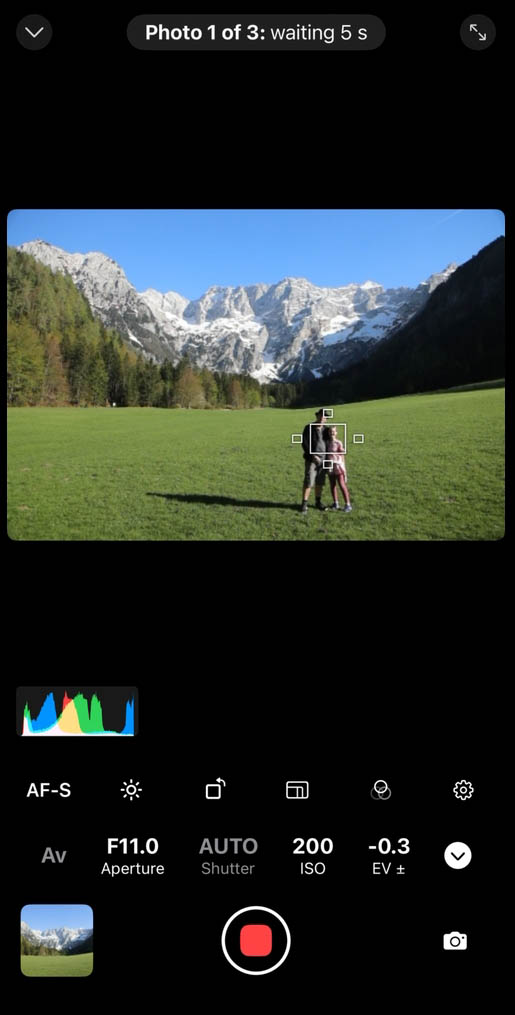
The most powerful thing Shutter gives you is a live view from your camera on your iPhone screen. Before you start any timer or countdown, you can walk to your intended spot, look back at your iPhone, and see exactly where you appear in the composition.
Too far to the left? Step right. Want that mountain peak centred behind you, or that patch of golden light falling exactly on your face? Move until you see it on screen. What you see in Shutter is precisely what your camera captures — no guesswork, no wasted shots.
This alone transforms self-portrait and group photography. You’re composing the image in real time, from within the scene itself.
Tap to Focus on Yourself — Not the Background
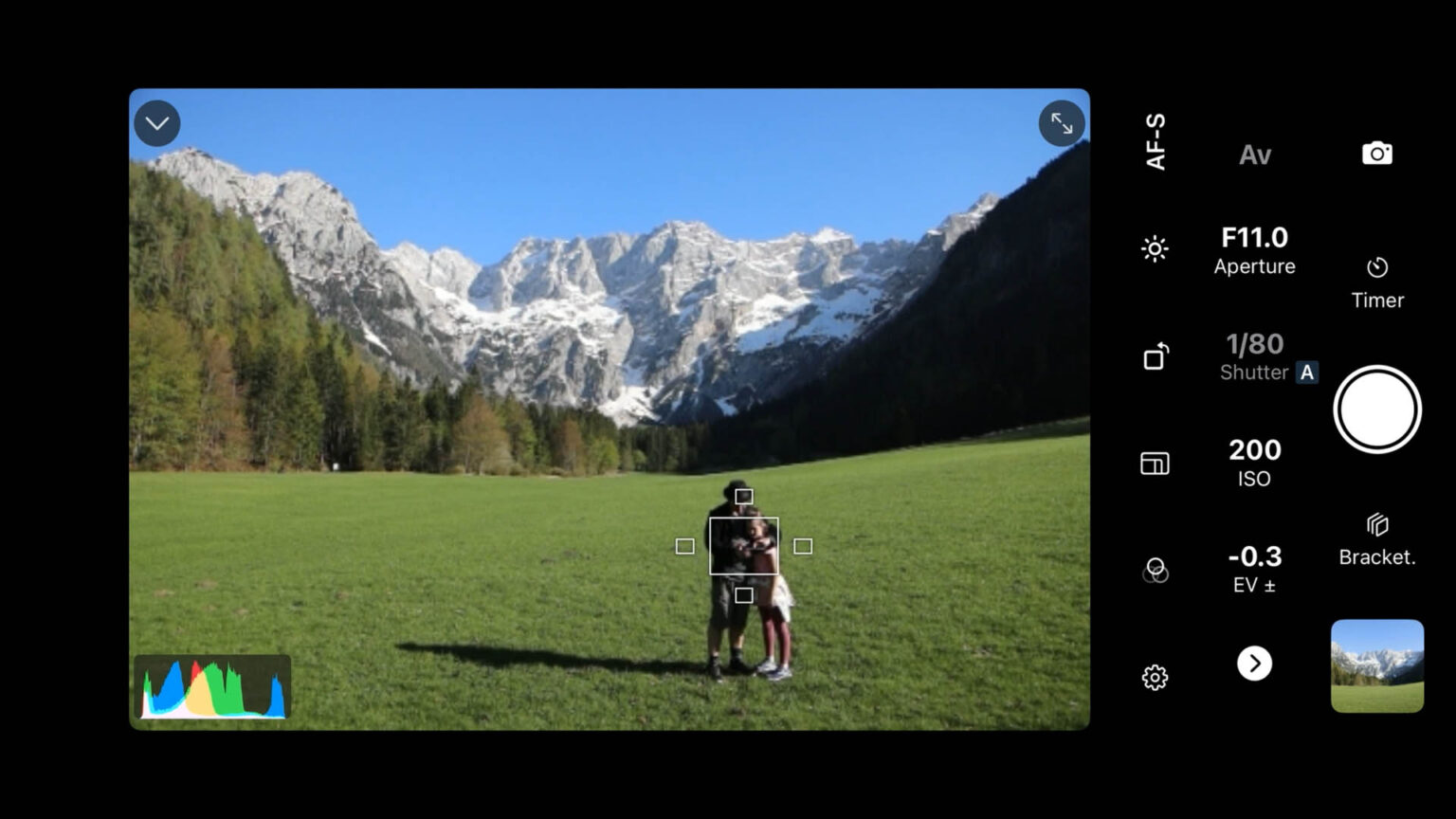
For landscape shots especially, autofocus is the hidden enemy of self-portraits. Point a camera at a wide scene and it will happily sharpen the trees, the horizon, or the rocks behind you — leaving you as a soft, out-of-focus afterthought in your own photo.
Shutter solves this with tap-to-focus on the live view. Before the timer starts, simply tap yourself on your iPhone screen and the camera locks its autofocus precisely onto you. Walk to your spot, assume your pose, tap to focus right on your face and know that when the shutter fires, the camera is looking at you — not the scenery.
Set Your Own Time Delay So You Can Pose Naturally
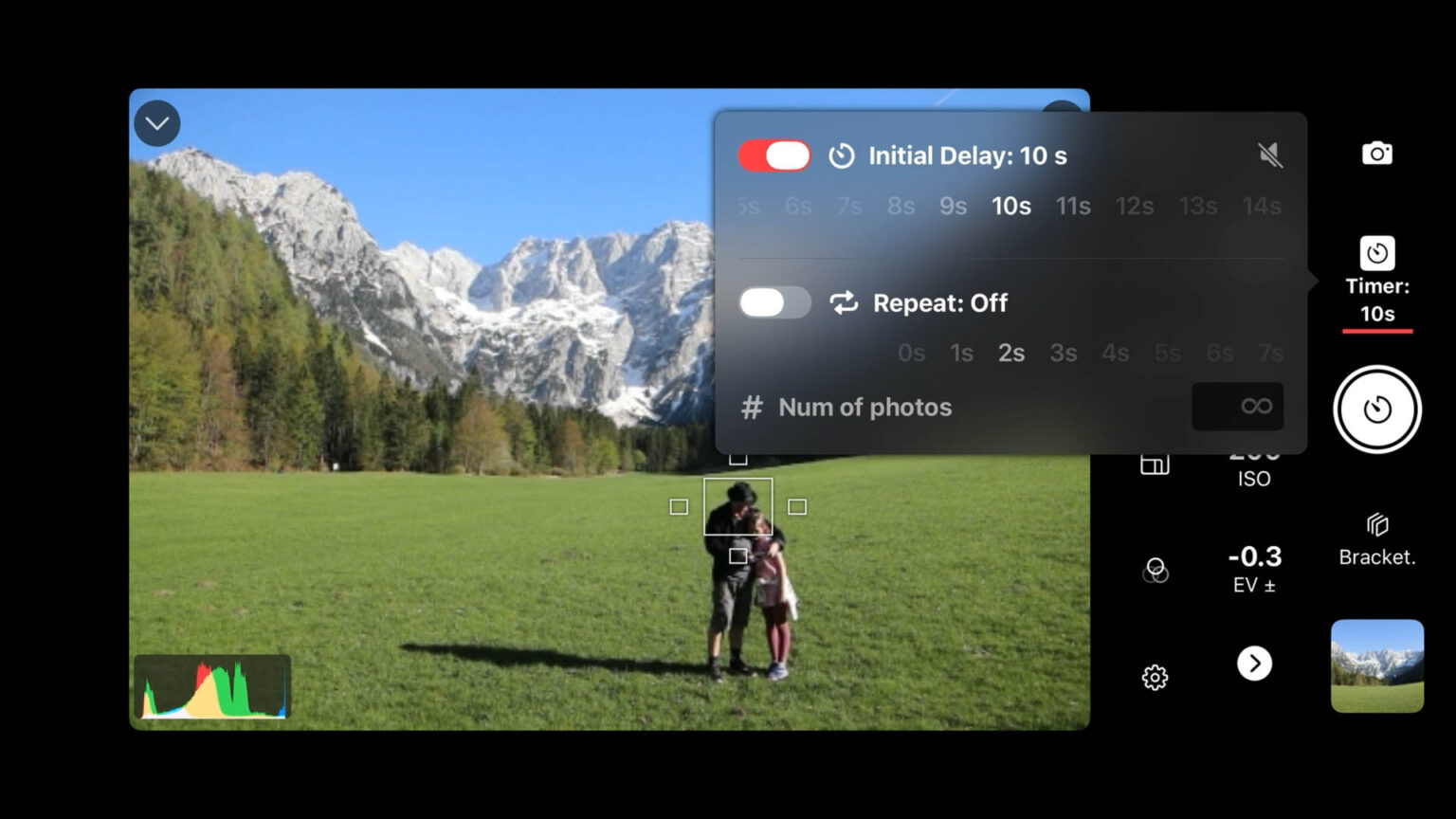
With framing sorted and focus locked, Shutter’s configurable timer gives you as much time as you need between pressing the button and the camera firing. You no longer have to be confined to the 2 or 10 second timer on your camera. Set it long enough to pocket your phone, take a breath, and settle into a natural, relaxed pose.
No more frozen mid-stride moments. No more stiff, braced expressions from sprinting to beat a two-second countdown. The timer works on your schedule, not the camera’s default.
The advantage here is that you can move around taking multiple shots, focusing on yourself each time.
Use the Intervalometer to Capture Multiple Shots and Change Your Pose Between Each One
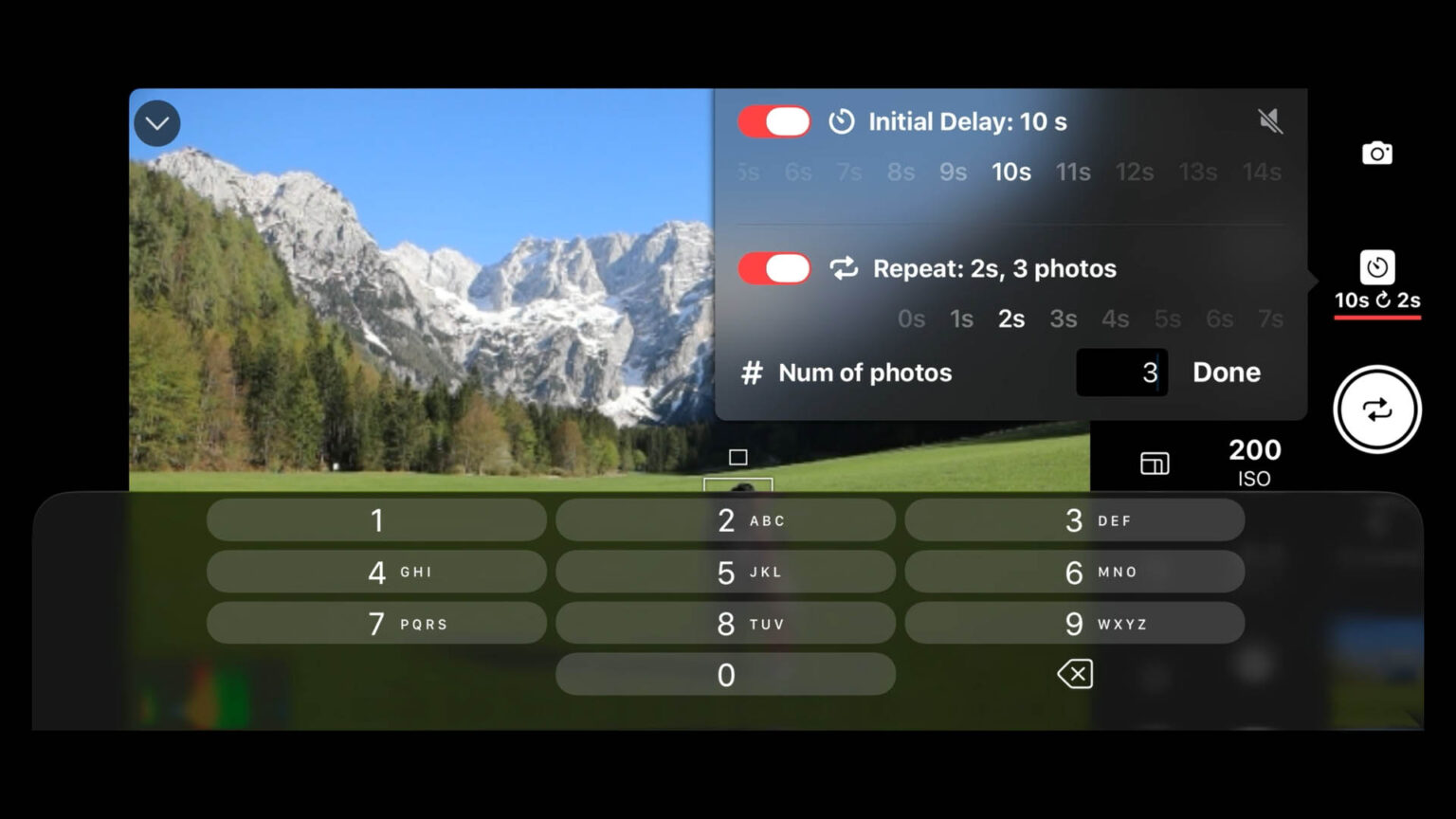
This is the feature that sets Shutter apart. The built-in intervalometer lets you set the number of shots you want to capture and the interval between them, then you can fire the whole sequence automatically.
Between each shot, you have time to shift position slightly, change your expression, turn your head, or simply let a more candid, natural moment emerge. You’re not betting everything on a single frame — you’re building a sequence to choose from.
What makes Shutter’s intervalometer especially effective for self-portraits is that it refocuses between every shot. Even if you move between frames — stepping closer, turning slightly, adjusting your posture — the camera recalibrates its autofocus on you anew each time. So long as you remain with the set focus area, every image in the sequence is as sharp and intentional as the first. If you move out of the focus area, simply stop the sequence, tap to focus again and restart.
This is a feature that even many dedicated intervalometer remotes don’t offer. Sony’s own internal intervalometer, for example, does not refocus between shots — a limitation that Shutter specifically addresses.
Turn on the sound so can you hear the countdown and clicks each time
There’s a practical problem with remote photography that’s easy to overlook until you’re actually standing twenty metres from your camera: you can’t hear it. The quiet click of a mirrorless shutter is barely audible at arm’s length, let alone across a field or halfway up a hillside. When you’re waiting for the timer to fire, or midway through an intervalometer sequence, you’re essentially shooting blind — tensed up, not sure whether the shot has happened yet, or whether you’ve already missed it and need to relax and reset.
Shutter solves this with an audio feedback feature that plays sound through your iPhone speaker — loud enough to hear clearly even when your phone is in your pocket. An audible countdown lets you know exactly how many seconds remain before the shutter fires, so you can be relaxed and natural right up until the last moment, then settle into your pose with perfect timing. And when the shot fires, a loud, satisfying shutter click confirms it — no ambiguity, no frozen expressions held a beat too long just in case.
This becomes especially valuable when using the intervalometer. Between shots, you might be shaking out your arms, glancing away, or simply trying to look natural rather than staged. The audio countdown before each frame tells you precisely when to be ready again, so every shot in the sequence gets the same level of preparation as the first. Without it, you’re either holding your pose rigidly for the entire sequence — which shows — or risking being caught mid-transition when the camera fires.
It’s a small feature on paper, but in practice it’s the difference between a sequence of considered, intentional frames and a lucky dip.
Perfect for Selfies, Groups, and Landscape Self-Portraits
Selfies with your mirrorless camera — Get a proper perspective, real depth of field, and genuine background separation that a stretched arm and a phone camera simply can’t produce.
Friends and family group shots — No more asking a stranger to take the photo. Set up Shutter, get everyone into position, and let the intervalometer run through a burst of frames. With multiple shots to choose from, you’re almost guaranteed at least one where everyone looks great and nobody has their eyes closed.
Placing yourself in a landscape — This is where Shutter truly shines. Mount your camera on a tripod, connect via Shutter, and use the live view on your iPhone to position yourself exactly where you want within the scene. Tap to focus on yourself. Set a timer long enough to pocket your phone and compose yourself. Then use the intervalometer to fire several shots, changing your pose between each one, with the camera refocusing freshly every time.
Works Anywhere — No Wi-Fi or Phone Signal Needed
Shutter connects via Wi-Fi Direct: the camera creates its own private wireless network, and your iPhone connects directly to it. There’s no need for a home network, internet connection, or mobile signal. You can use it in the most remote locations — on a mountain ridge, in a desert, deep in a forest — with a typical range of 10–30 metres in open spaces.
Compatible with Sony, Canon, and Fujifilm Cameras
Shutter is available in three dedicated versions, each optimised for its camera brand:
- Shutter for Sony — compatible with Sony Alpha and Cyber-shot cameras
- Shutter for Canon — compatible with Canon EOS and PowerShot cameras
- Shutter for Fujifilm — compatible with Fujifilm X-series and GFX cameras
Shutter works on iPhone, iPad, and Apple Watch. A single licence covers all your Apple devices signed into the same Apple ID, and Family Sharing is supported.
Frequently Asked Questions
Can I use Shutter to take photos of myself without a tripod?
You'll need a way to keep your camera stable and pointed at your scene — a tripod is the usual solution, but a flat surface, a rock, or a beanbag all work. Once the camera is positioned, Shutter handles everything from your phone.
Does Shutter work without an internet connection?
Yes. Shutter uses Wi-Fi Direct, which means the camera and your iPhone communicate directly with each other. No internet connection, home Wi-Fi, or mobile signal is needed.
How many shots can I set the intervalometer to take?
You can configure the number of shots freely — or set it to run continuously until you stop it manually. You control both the number of frames and the interval between them.
Will the camera refocus on me if I move between shots?
Yes. Shutter refocuses between each intervalometer shot, so even if you move or change your pose, each frame is focused freshly on you so long as you are within the focus point set. Should you move out of this, simply stop the sequence and tap to focus on yourself in the new position. Then you can restart shooting.
Is Shutter better than the official Sony / Canon / Fujifilm app?
From my experience with the Canon version compared to the Canon Connect App, I can unequivocally say yes. That is not to say that Canon Connect is not worth having, far from it. As the free proprietary app it is well worth having and ideal for basic use. However, I have found Shutter to be more stable, stays connected longer and offers many more useful features, some of which are not even available in my camera.
Shutter has been consistently reviewed as more reliable, faster to connect, and significantly more feature-rich than the official manufacturer apps — particularly for self-portraits and intervalometer shooting. It does carry a small subscription cost, unlike the free manufacturer apps, but reviewers across DIY Photography, Digital Camera World, and Fstoppers have rated it as well worth it.
Does Shutter work on Apple Watch?
Yes. You can trigger the shutter, adjust exposure, and control the intervalometer directly from your Apple Watch — ideal for when you want to be even more discreet about triggering a shot.
Related articles
Exposure Bracketing & Lens Flare Removal with Shutter & Photoshop
My book
Learn Photography
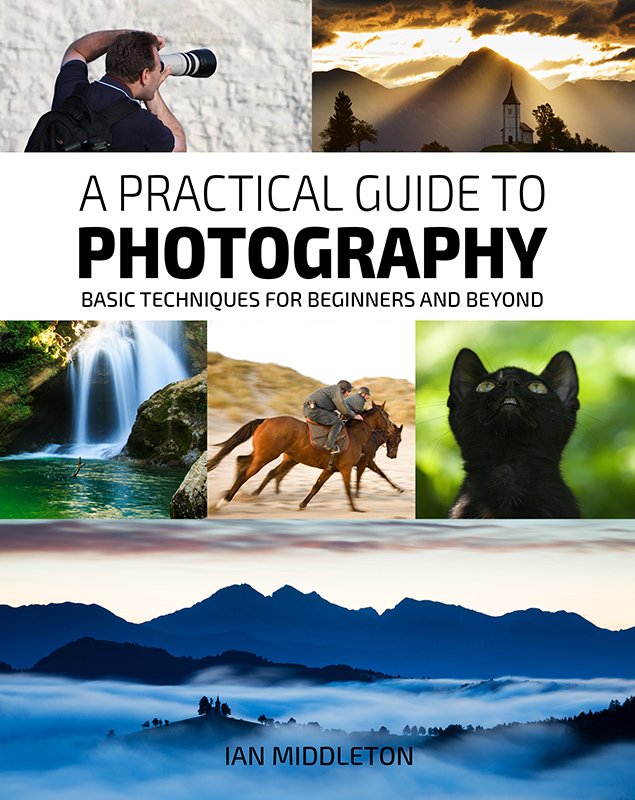
For a more comprehensive look at photography, check out my book, available to buy at Amazon.
Shedding light on all the photography basics in one book.
Want to know how to take better photos? Well, first you need to master the basic techniques. Whether you are a complete beginner or an intermediate looking to improve your photography, this book is packed with photography techniques, tips and advice for beginners and intermediates.
All the camera functions and their effects explained.
More articles you might like: